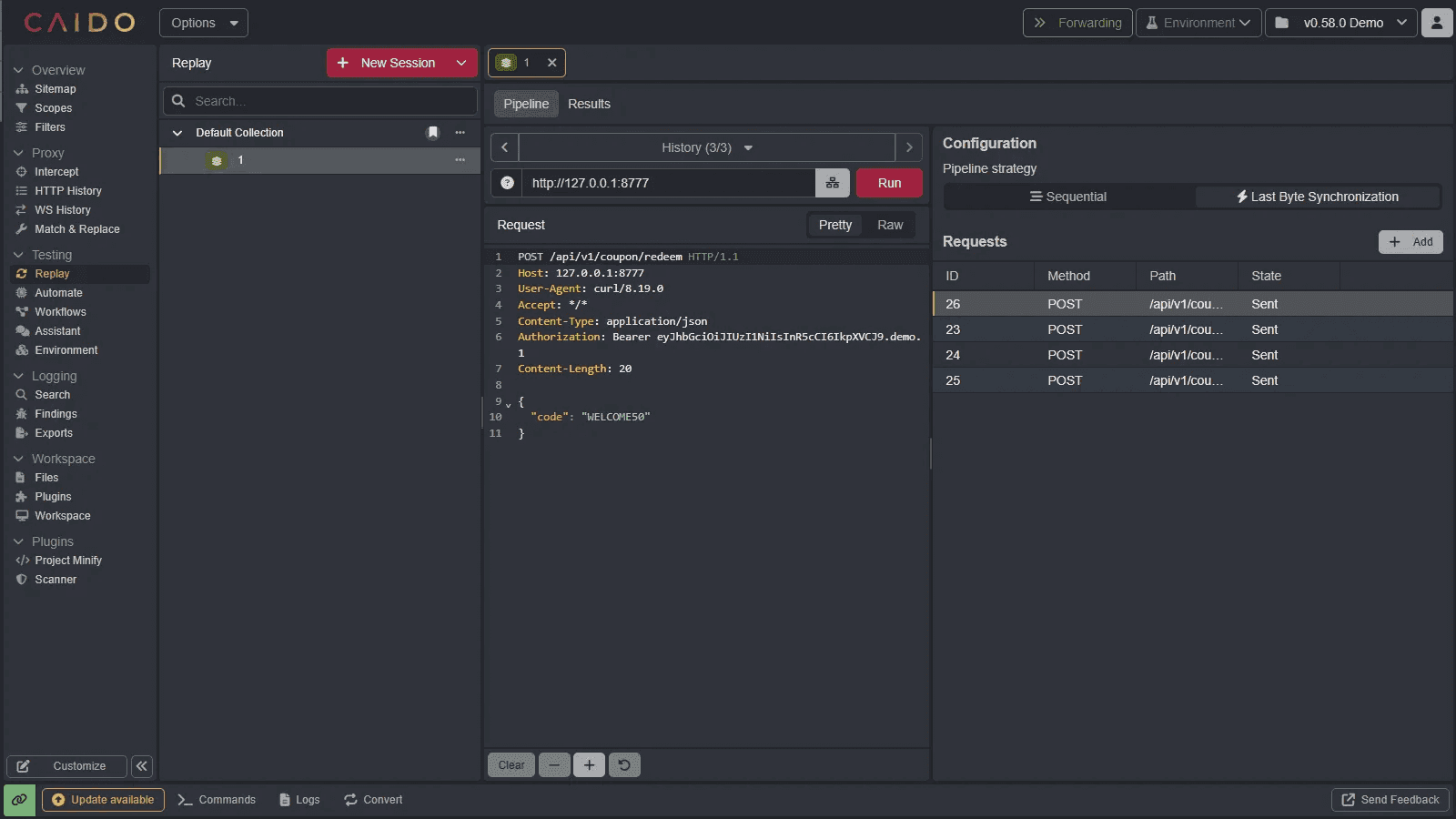
Using Replay Pipelines
Replay Pipelines let you group multiple requests into a single run and control how they are sent.
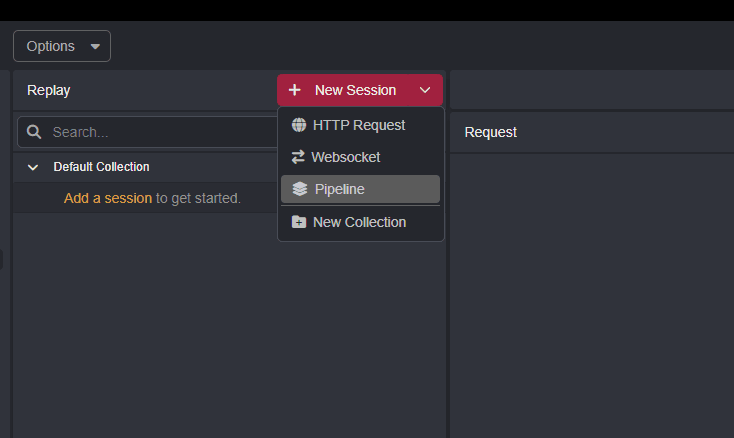
You can create a new Pipeline by selecting New Session and choosing Pipeline.
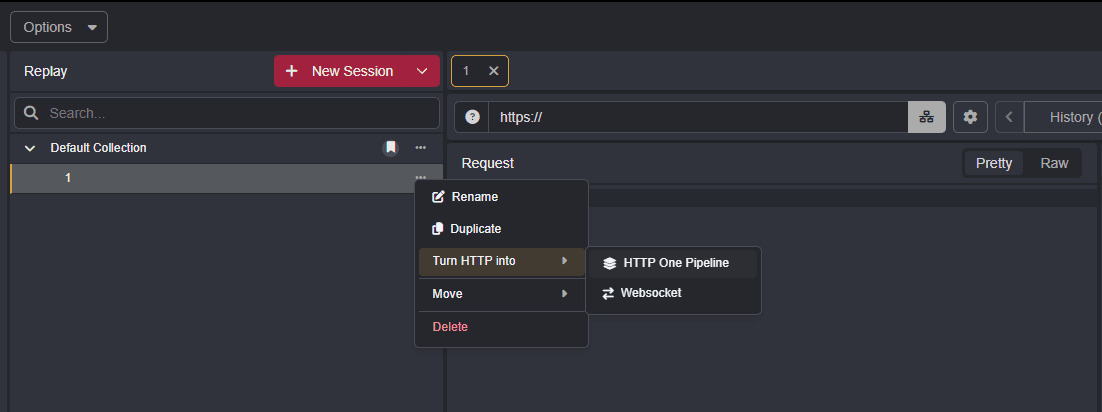
An existing HTTP Replay session can also be converted into a Pipeline by selecting ..., then Turn HTTP into > HTTP One Pipeline.
Click Add to add the different requests you want to send.
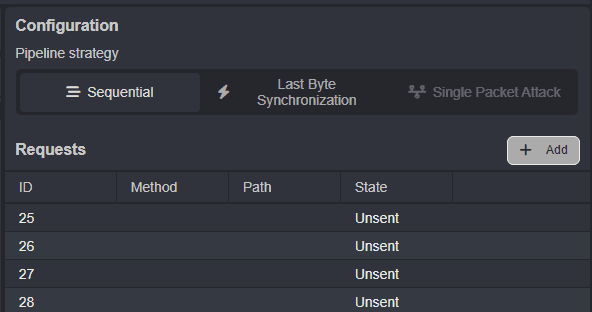
Choose a Pipeline strategy to determine how the requests are sent:
- Sequential: Sends each request in the specified order.
- Last Byte Synchronization: Synchronizes the final byte of each request, reducing the time between their arrival for race condition testing.
- Single Packet Attack: Uses a single HTTP/2 connection to send the final part of each request in a single TCP packet.
INFO
To use Single Packet Attack, you need to switch from the HTTP/1 stack to the HTTP/2 stack. Go to Settings → Network, locate HTTP Stack, and switch from HTTP/1 to HTTP/2.
Note that the HTTP/2 stack is experimental and may be unstable.
The Requests table displays the status of each request, while the Results tab lets you review the responses from the run in one place.