Installing Plugins
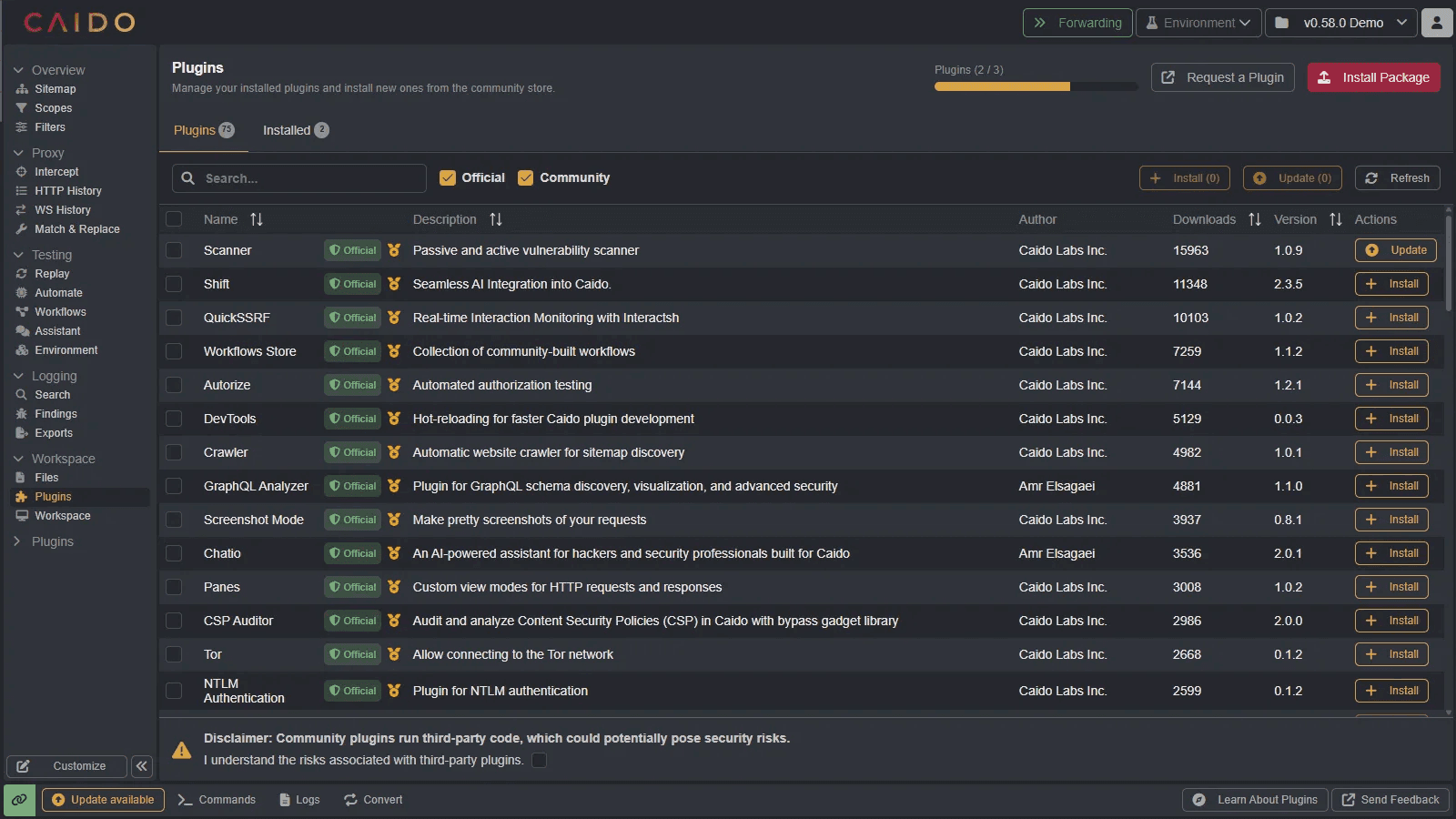
To install a plugin, either:
- Click on the
Install Packagebutton and select a pluginplugin_package.zipfile. - Or click on the
+ Installbutton associated with a plugin available in the Community Store.
WARNING
Plugins available in the Community Store run third-party code, which could potentially pose security risks. Before you can access the Community Store, you must click on the "I understand the risks associated with third-party plugins." checkbox to acknowledge and accept the risk.

Browse Plugins
The Plugins page helps you discover and compare plugins before installing them.
- Look for the Official badge to identify plugins maintained by Caido.
- Review each row's quality rating, author, download count, and version.
- Use the Official and Community filters to narrow the list.
- Select multiple plugins, then install or update them in one action.