
Sending Multiple Payloads
To use multiple payload values, click, hold, and drag over multiple request elements you want to replace and then click on the + Add Placeholder button.
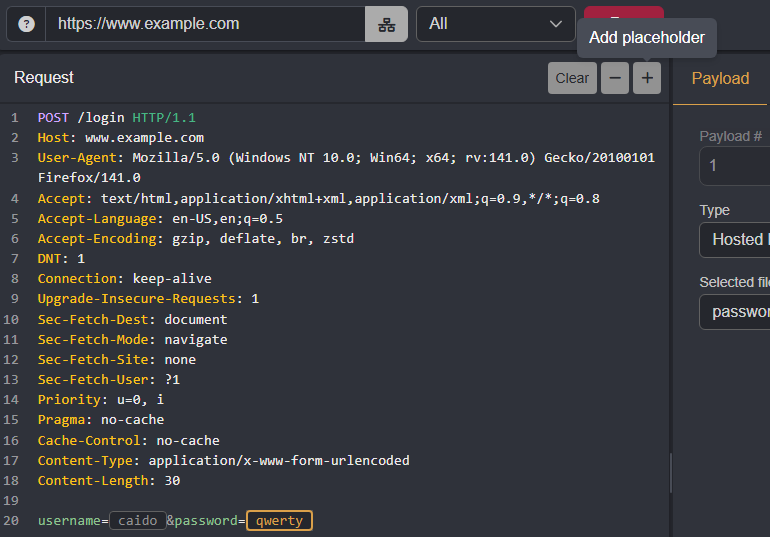
Once placeholders have been marked, select a strategy from the drop-down menu.

Single Payload Set Strategies
Both the All and Sequential strategies utilize a single payload set.
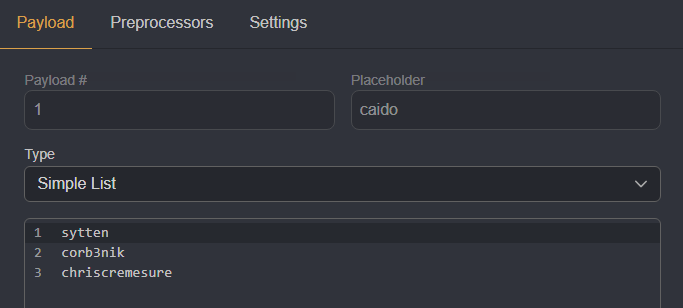
All
The All strategy will replace all placeholders with the same payload value.
| Request | Payload |
|---|---|
| 1 | username=sytten&password=sytten |
| 2 | username=corb3nik&password=corb3nik |
| 3 | username=chriscremesure&password=chriscremesure |
Sequential
The Sequential strategy will switch a payload value between all placeholders. The original values are preserved.
| Request | Payload |
|---|---|
| 1 | username=sytten&password=qwerty |
| 2 | username=caido&password=sytten |
| 3 | username=corb3nik&password=qwerty |
| 4 | username=caido&password=corb3nik |
| 5 | username=chriscremesure&password=qwerty |
| 6 | username=caido&password=chriscremesure |
Multi-Payload Set Strategies
Both the Parallel and Matrix strategies utilize multiple payload sets.
Click on a placeholder to define its own payload set.


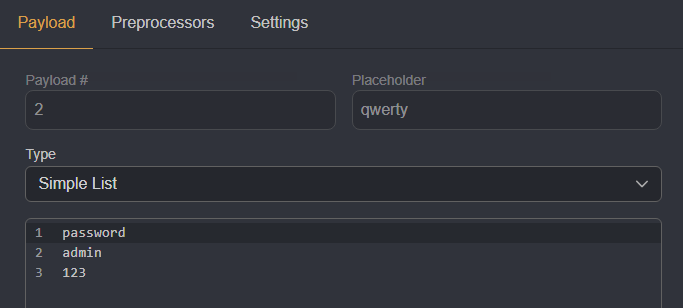
Parallel
The Parallel strategy will combine payload values across their sets in ascending order. Due to this, each set must have the same payload count.
| Request | Payload |
|---|---|
| 1 | username=sytten&password=password |
| 2 | username=corb3nik&password=admin |
| 3 | username=chriscremesure&password=123 |
Matrix
The Matrix strategy will test all the possible combinations of payload values across different sets.
| Request | Payload |
|---|---|
| 1 | username=sytten&password=password |
| 2 | username=sytten&password=admin |
| 3 | username=sytten&password=123 |
| 4 | username=corb3nik&password=password |
| 5 | username=corb3nik&password=admin |
| 6 | username=corb3nik&password=123 |
| 7 | username=chriscremesure&password=password |
| 8 | username=chriscremesure&password=admin |
| 9 | username=chriscremesure&password=123 |
INFO
If Close Connection is disabled in the Settings tab, the TCP connection is maintained through the session until it is terminated by the server.