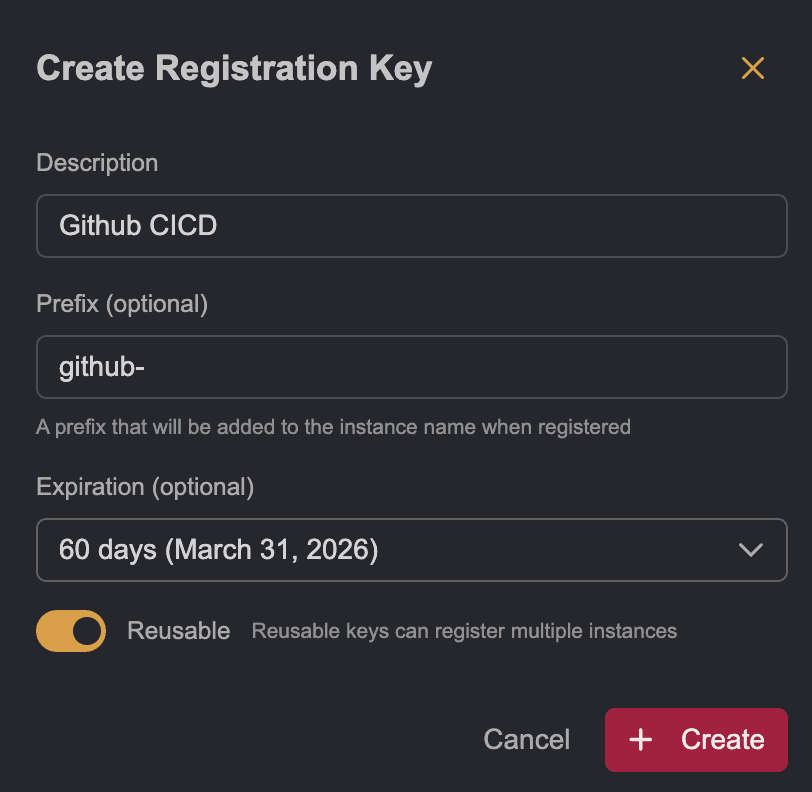
Creating a Registration Key
Registration keys are used to register instances automatically in a Team workspace. To learn more check our documentation on the instance registration process.

To create a registration key, click on the Create Key button. Only admins are allowed to create keys.
The options are:
Description: Describe the usage for the keyPrefix: The instance claimed using this key will have a name with this prefix, if not set the instance name will be purely randomExpiration: When will the key expire, we strongly recommend setting an expiration dateReusable: Whether the key can be used to claim more than one instance. If not allowed, the key is revoked on first use.